
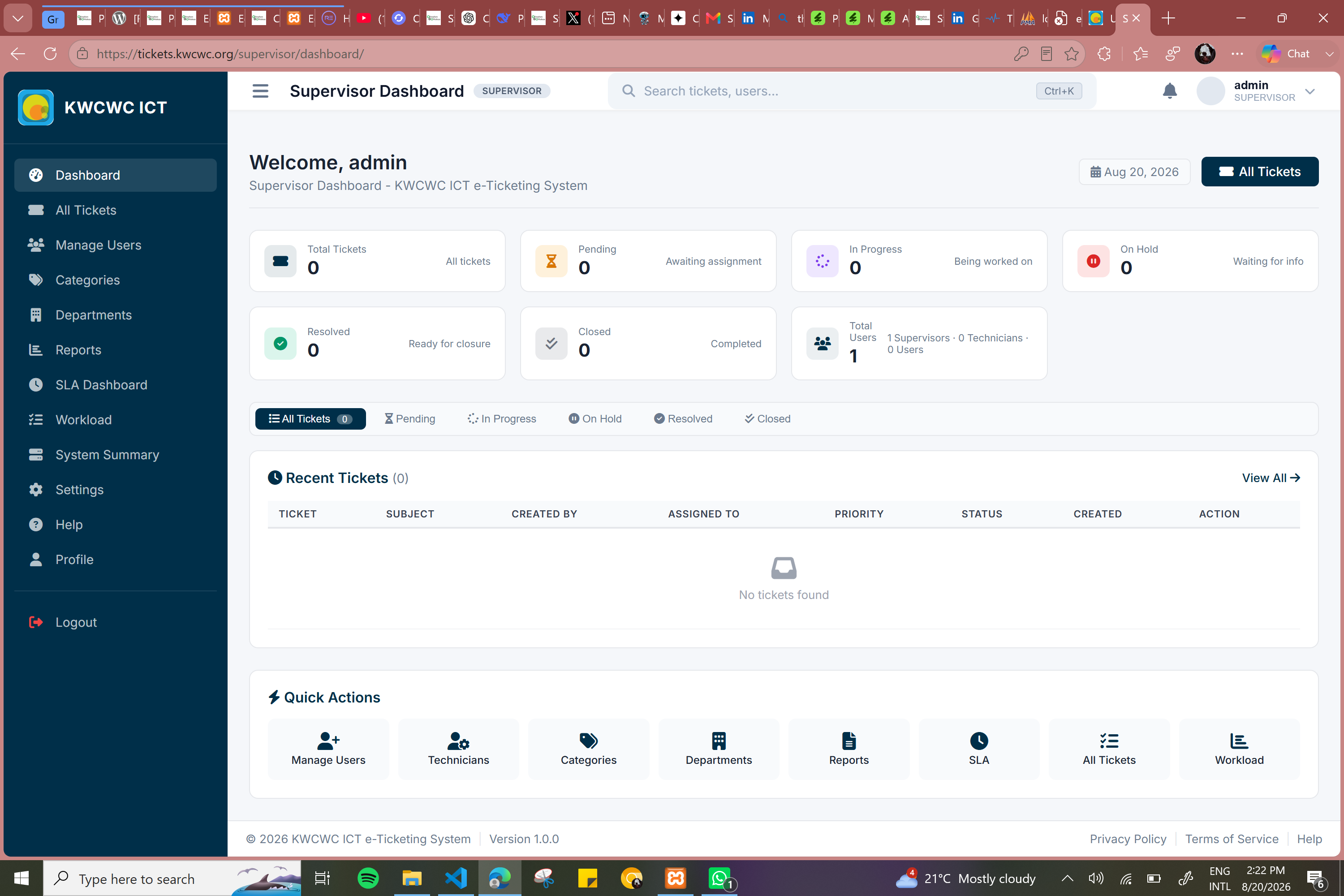
The KWCWC E-Ticketing System is a complete ICT helpdesk platform I built to automate the reporting, assignment, tracking, escalation, and resolution of technical support requests. The system serves three user types — End Users, Technicians, and Supervisors — and features a full ticket lifecycle, SLA monitoring, real-time notifications, a knowledge base, email alerts, reporting dashboards, and audit logging. It was built with Django, Python, MySQL, WebSockets, Celery, and Redis, and is deployed on a live VPS server.
Strategy
I built a complete helpdesk platform with role-based access control for three user types — End Users who submit tickets, Technicians who resolve issues, and Supervisors who manage workflow and monitor SLA compliance. I implemented a full ticket lifecycle management system from creation through assignment, progress tracking, resolution, and closure. I integrated automated SLA tracking to monitor response and resolution times with automatic escalation when deadlines are breached. I built WebSocket-powered real-time notifications and dashboards for live updates. I created a self-service knowledge base, automated email alerts for ticket updates and feedback surveys, comprehensive reporting dashboards, and complete audit logging for transparency.
Design
I built the system using Django as the web framework with Django REST Framework for API development. I implemented WebSockets for real-time communication and used Celery with Redis for task queuing and background jobs. I used MySQL as the production database and implemented JWT authentication for secure API access. For deployment, I set up and managed a VPS running Linux with full server configuration. The frontend uses Django Templates with JavaScript for dynamic features.
Features
- Role-Based Access
- Ticket Lifecycle Management
- SLA Monitoring
- Real-Time Updates
- Email Notifications
- Reporting & Audit Logging
As the Full-Stack Developer, I designed and implemented the complete Django application, built the database schema with MySQL, developed role-based access control, implemented WebSocket real-time communication, created dashboards for all user roles, designed the email notification system, built reporting and analytics features, and deployed the system to production.
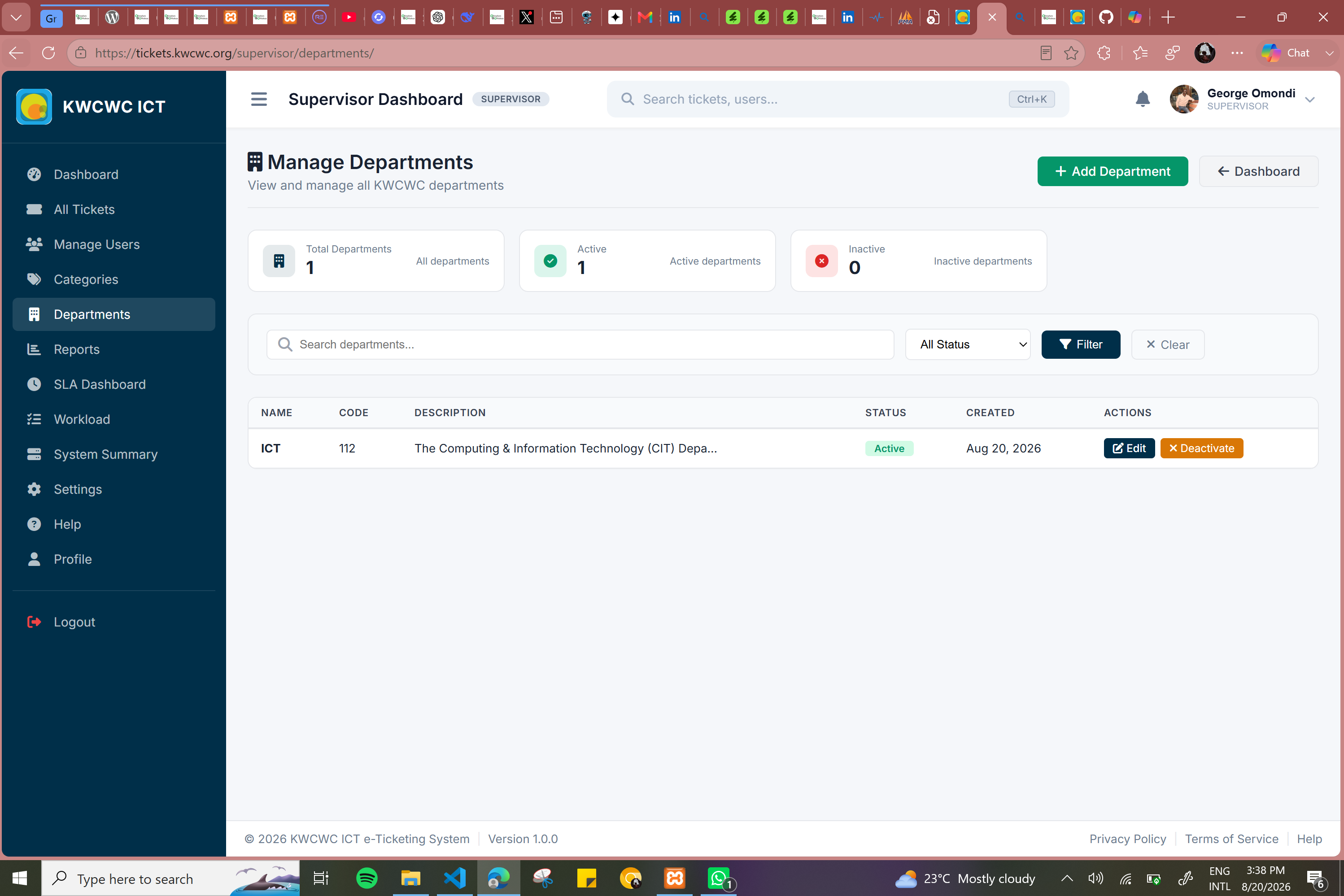
Before this system, ICT support requests at KWCWC were handled manually through phone calls, emails, and walk-ins. There was no central system to track requests, leading to lost tickets, delayed responses, and no visibility into workload or performance.
I developed a Django-based helpdesk system that automates the entire support process — from ticket creation through assignment, resolution, and closure. The system provides real-time visibility, automated notifications, and complete audit trails.
As the Full-Stack Developer, I was responsible for designing, building, and deploying the entire KWCWC E-Ticketing System. I worked on both the backend and frontend to create a complete, functional helpdesk platform. I designed the database schema, built the Django backend with all business logic and APIs, and developed the frontend interfaces using Django Templates and JavaScript. I implemented role-based access control for users, technicians, and supervisors, integrated WebSocket-powered real-time notifications, and configured Celery with Redis for automated tasks like SLA escalation and email alerts. I also set up the production environment, deployed the system to a live VPS server, and ensured the platform was secure, responsive, and fully functional for daily use.
Before this system, ICT support requests were handled manually through phone calls, emails, and walk-ins — leading to lost tickets and delayed responses. I built a centralized Django-based helpdesk system that automates ticket creation, assignment, tracking, and resolution, with role-based access and SLA monitoring.